
How to use TSA PreCheck Touchless ID to breeze through airport security lines
If you’ve ever fumbled at the security podium trying to dig your driver’s license and boarding pass out of a crowded carry-on, you know exactly how stressful those first few moments at the airport can be.
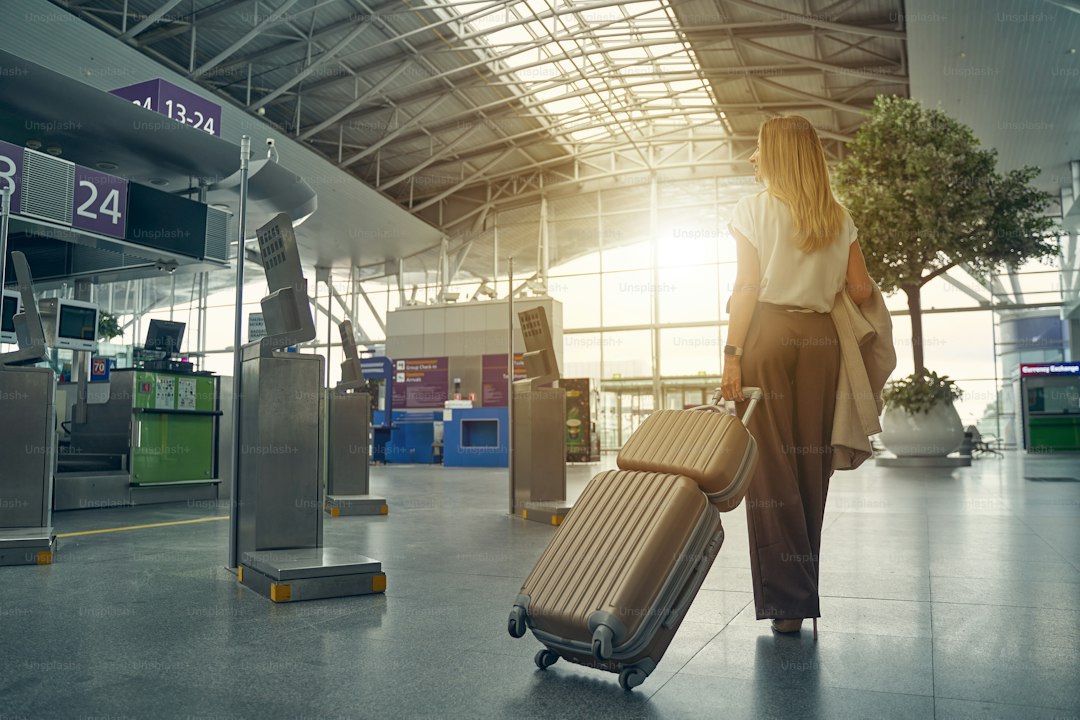
Understanding TSA PreCheck Touchless ID: How it Works
If you’ve ever fumbled at the security podium trying to dig your driver’s license and boarding pass out of a crowded carry-on, you know exactly how stressful those first few moments at the airport can be. That’s where TSA PreCheck Touchless ID really changes the game, and honestly, it’s a lot simpler than it sounds once you see what’s happening behind the screen. Instead of handing over physical documents, you’re essentially just letting a high-resolution camera take a quick snapshot of your face. This system uses a sophisticated facial recognition algorithm to match that live image against a secure gallery of photos you provided when you first enrolled in the program. Think of it like your face becoming your boarding pass; it’s a one-to-one match that links your identity directly to your existing airline reservation without needing to search through a massive database of every passenger in the terminal.
The technology is surprisingly fast, often wrapping up the entire verification process in under three seconds, which is a massive jump in efficiency compared to the traditional document check. To keep things secure, the system relies on passive liveness detection, which is just a fancy way of saying it can tell the difference between a real, living person and a high-resolution mask or digital image. You might be wondering about privacy, and here is what I’ve gathered: the data is encrypted immediately at the checkpoint, and federal rules actually require that these photos are deleted from the local device as soon as you clear the area. It’s not just about speed, but about using specialized infrared sensors to make sure the scan stays accurate even when the airport lighting is less than perfect.
Now, it’s worth noting that this is entirely voluntary, and you’re never forced to use it if you’d rather stick to the old-school paper-or-plastic method. Even if you opt-in, it’s not a total free-for-all; security personnel are still right there watching the gates, ready to step in and perform a manual check if the system hits a snag with your glasses or a hat. I personally love that the system is designed to prioritize throughput without skipping any of the mandatory watch-list screening that keeps the system safe. It really feels like a shift toward a more modern, frictionless way of moving through the terminal, even if it does take a minute to get used to the idea of walking up to a camera instead of a person. If you’re a frequent flyer looking to shave those extra minutes off your morning, this is definitely something worth setting up before your next trip.
Key Differences Between Touchless ID, TSA PreCheck, and CLEAR
It’s easy to get these systems mixed up when you’re standing in a terminal, but think of it this way: TSA PreCheck, CLEAR, and Touchless ID are all tools for the same job, yet they operate on entirely different tracks. At its core, TSA PreCheck is your baseline membership that grants you access to those expedited screening lanes, while Touchless ID is simply a federal technology upgrade that turns your face into your boarding pass within those specific lanes. Crucially, Touchless ID is a government-managed feature for PreCheck members that skips the document check entirely by matching your face against the TSA’s secure database. You don’t need a separate subscription for this; it’s just a biometric layer added to the PreCheck program you likely already pay for.
Then you have CLEAR, which is a private, for-profit company that functions like a dedicated concierge for the airport security process. Unlike the federal Touchless ID system, CLEAR requires its own annual membership fee and uses a proprietary mix of iris and facial scans to verify your identity at the start of the line. The biggest difference I always point out to friends is that CLEAR is a separate lane—often leading you to the front of the standard or PreCheck lines—whereas Touchless ID happens right at the TSA officer’s podium once you’re already in the PreCheck lane. CLEAR also has a much broader footprint, operating in sports stadiums and arenas, while Touchless ID is strictly confined to the federal security checkpoint environment.
Privacy is another piece of the puzzle that often gets overlooked, but it’s vital to distinguish the two. Since Touchless ID is a federal initiative, your data handling is governed by strict Department of Homeland Security standards, meaning images are typically wiped from local devices immediately. CLEAR, on the other hand, operates under its own commercial privacy policies and stores your biometric templates in its private, proprietary database. I’ve found that many frequent flyers actually stack these services, using CLEAR to bypass the initial document check at the front of the terminal and then using Touchless ID to quickly clear the final TSA podium check. It really comes down to your personal travel style, but understanding that one is a government feature and the other is a private subscription helps you decide where to put your money.
Step-by-Step: How to Sign Up and Activate Your Touchless ID
Getting your Touchless ID up and running is honestly more of a one-time digital handshake than a complex technical chore, but you do need to be precise with the initial setup. To kick things off, you’ll first need to make sure your airline’s mobile app is updated, as that is where you’ll manually opt-in and link your Known Traveler Number to your biometric profile. The real heavy lifting happens when you use your phone to scan the chip inside your U.S. passport, which creates the secure digital baseline the system needs to recognize you. I’ve found that using the app's Near Field Communication feature during this step is the best way to keep the false rejection rate down to that tiny 0.5% margin, making your actual airport experience much smoother later on.
Once that initial verification is locked in, the system handles the heavy lifting by analyzing 21 distinct facial landmarks, though you’ll want to remember that this is currently limited to travelers 12 and older to ensure the algorithm stays reliable. You don't need to do anything every time you fly; the activation just generates a temporary digital token that stays valid for the 24-hour window around your flight. Just keep in mind that you need to complete this sync at least two hours before your flight takes off so the "Touchless ID" indicator actually shows up on your digital boarding pass. It’s a bit like double-checking your gate info—if you don't see that specific tag, the system won't recognize you at the podium, so check your app before heading to the terminal.
It’s pretty impressive how the tech works once you’re in line, using infrared sensors that can pick you out even in those dim terminal corners where the lighting is less than perfect. Because the system is built on non-persistent templates, your data isn't just sitting around indefinitely; it’s automatically purged from the airline’s temporary cache the moment your flight is marked as departed. I personally like that the security is baked into the enrollment, with the app using active liveness detection to ensure it’s really you and not just a static photo being held up to a camera. It’s a modern, efficient way to move, and now that it’s unified across major domestic carriers, one enrollment really does open up the gates at over 85 U.S. airports.
Navigating the Airport: Where to Find Touchless ID Security Lanes
Honestly, walking into a packed terminal during a spring break surge feels like a test of patience I didn't sign up for, but here is what I’ve found: you don't have to guess where these high-tech lanes are anymore because they've quietly expanded to over 85 domestic airports. I've noticed that while the tech feels futuristic, finding it is actually pretty low-key; you're looking for the standard TSA PreCheck lanes, but specifically the ones equipped with those sleek camera-mounted podiums. You'll know you're in the right spot if your digital boarding pass has that specific "Touchless ID" indicator, which only pops up if you've done your digital homework at least two hours before wheels up. It is a bit of a localized processing setup, meaning the hardware is baked right into the existing PreCheck infrastructure rather than being a separate room or a hidden wing in the back of the terminal.
I’ve spent a lot of time watching how different hubs like Atlanta, Detroit, or Tampa handle these massive passenger surges, and it’s clear that the major carriers are the ones driving the bus here. Delta was the early mover, but now that the system is unified across the big domestic players, you’ll usually find these lanes clustered near the main airline-specific security checkpoints rather than general entry points. And don't worry about getting lost in the shuffle; the signage is finally starting to catch up with the technology, though I still tell people to just keep an eye out for the infrared cameras that look like they belong in a high-end photo studio rather than a government office. Think about it this way: CLEAR is your bypass to the front of the line, but Touchless ID is what actually clears the final hurdle at the podium without you ever reaching for your wallet.
I’ve seen the system work perfectly even in some pretty dimly lit corners of older terminals because those sensors are designed to map your 21 facial landmarks regardless of the overhead fluorescent buzz. It is a mathematical certainty that beats the old manual document check every time, even when the person in front of you is still fumbling with their belt or change. Just remember that if you haven't synced your passport chip through the app to create that digital token, you're going to be stuck in the manual lane regardless of how many cameras are staring at you. I've seen folks get frustrated when the "Touchless" icon doesn't show up on their phone, but that’s usually because the backend systems haven't finished their handshake with the security hardware.
It's also worth noting that since this is currently capped at travelers 12 and older, families with younger kids might still find themselves directed to the traditional lanes by the staff on site. Honestly, the best move is to check your airline app the night before to ensure your biometric profile is active and ready for the 24-hour window of your flight. Once you've cleared it once and felt that 0.5% false rejection rate work in your favor, you'll never want to go back to the old paper-and-plastic shuffle again. It really is the most efficient way to navigate the chaos, provided you’ve got your passport chip scanned and your app updated before you even leave for the curb.
Tips for Maximizing Efficiency at the Security Checkpoint
If you’ve ever felt that spike of adrenaline standing at the security divestment area, you aren't alone; I’ve spent enough time in terminal lines to know that the secret to a smooth experience is really just about managing the machine’s perspective. Think of it this way: the X-ray scanners are essentially looking for clarity, and whenever we crowd our bins, we’re essentially inviting a manual search. You’ll want to stack your items in a single layer rather than overloading, as research shows this simple habit can cut the probability of a false alarm by nearly 30 percent. I always make sure to place my laptop in a bin entirely by itself, as keeping it clear of other dense electronics prevents the overlapping components that scanners often flag for a secondary review.
Beyond just how you pack, it’s about how you orient your gear; for instance, laying your bag with its widest side parallel to the belt helps the sensors get a consistent, clear image. If you’re carrying liquids, putting that clear, quart-sized bag at the very top of your carry-on is a game changer, because it saves the agent from having to dig through your personal items. I’ve also found that detaching cords from power bricks makes a massive difference, as those tangled cables create chaotic shadow patterns that the software can’t always resolve. By giving the scanner a clean view, you’re doing the heavy lifting before the bag even moves, which keeps the line flowing for everyone behind you.
Finally, let’s talk about the divestment process itself, which is where most of us lose those precious minutes. Wearing slip-on shoes is a tactical move that saves about 45 seconds per trip, but it’s just as important to remove heavy metal accessories like belts or watches before you even reach the metal detector. I always recommend placing your boots or heavier items at the bottom of the bin to create a stable base, which prevents items from shifting or tumbling during the conveyor’s transition. It’s also worth noting that using a transparent, high-clarity toiletry bag helps the software distinguish between densities more accurately. Honestly, if you keep your boarding pass accessible in a dedicated pocket and avoid the last-minute scramble, you'll find that moving through security feels more like a routine than a high-stakes obstacle course.
Realistic Expectations: When Touchless ID Truly Saves Time
When we talk about saving time at the airport, it’s easy to get caught up in the promise of futuristic tech, but we need to keep our expectations grounded in how these systems actually behave on the ground. The reality is that the biometric scan itself is lightning fast, but it’s only one piece of a much larger, sometimes sluggish, machine. From a technical standpoint, the system is designed to handle up to twenty degrees of head tilt, meaning you don't need to stand perfectly still like you’re posing for a portrait. Because the hardware uses edge processing to verify your face directly on the camera unit, the latency is almost non-existent. And if you wear glasses, you’ll be happy to know the infrared sensors are tuned to see right through them, so you can keep them on.
But here is where the "speed" argument gets nuanced: the system typically shaves only about 14 seconds off the standard document check process when everything goes perfectly. That might sound small, but when you’re dealing with a holiday rush, those seconds do add up across the entire terminal. Still, if you’re standing there and the system hits a snag—maybe because of harsh backlighting from a terminal window—it’ll try twice before kicking you over to a human agent. I’ve noticed the software is pretty smart about adjusting to things like flickering lights or even your natural aging process since it relies on mathematical vectors rather than a static image of your face.
The biggest thing to realize is that you can have the most advanced facial recognition in the world, but it won't help you if your carry-on is a disaster. If you haven't pre-staged your bins, the time you save at the podium is immediately lost at the X-ray belt. Think of Touchless ID as a tool to remove a bottleneck, not a magic button that deletes the entire security process. If the network hits a lag, the system is even designed to pivot to a cached verification state to keep things moving.
Ultimately, this tech is most effective when you treat it as a refined way to handle the identity check, while keeping your own packing habits consistent. I’ve seen the software adapt to environmental noise and even undergo retraining to ensure it stays accurate across different demographics, which is honestly pretty impressive engineering. Just remember that it’s a system with a built-in fallback protocol, so if it fails, you aren't going to be stuck indefinitely—you’ll just be redirected to the classic manual check. If you go in expecting a total bypass of every airport hurdle, you might be disappointed, but if you look at it as a way to trim those final seconds off your transit, it’s a solid win.
Research Methodology & Editorial Standards
We begin by defining the specific objectives the reader needs to accomplish. Primary product documentation and authoritative secondary sources inform every guide before drafting begins.
Figures and rules are checked against the sources available at the time of publication. Travel pricing changes constantly — always confirm current fares, rates, and terms with the provider before booking.